
Artificial intelligence (AI) has become an indispensable tool, seamlessly integrating into our daily workflows and making tasks easier and more efficient. However, despite its impressive capabilities, AI isn’t a perfect replacement for human intelligence. Instead, it excels at augmenting human capabilities, enhancing our ability to perform complex tasks and make informed decisions.
The key to unlocking the full potential of AI lies in understanding its strengths and limitations. By identifying which tasks are best suited for AI and which require human review, we can create a unified collaboration that maximizes efficiency and minimizes errors. This is where the concept of the AI-Human review loop comes into play. This process is often achieved by setting a well-defined workflow.
What is a workflow?
In augmented AI and the AI-Human review loop, a workflow is a structured series of steps defining how tasks are allocated, executed, and reviewed by both AI and human agents. It outlines each party’s specific roles and responsibilities, ensuring a seamless and efficient collaboration.
For example, in a content creation workflow, AI might generate initial drafts, while humans would review, edit, and refine the content for quality and accuracy. The workflow would clearly define when AI hands off tasks to humans, what criteria are used for review, and how feedback is incorporated to improve the final output.
A well-defined workflow streamlines the process and ensures that both AI and human strengths are leveraged effectively. It creates a system where AI handles tasks it excels at, freeing up humans to focus on higher-level cognitive functions that require their unique expertise and judgment
What is a task?
A task is a single unit of work, a specific action or step that needs to be completed by either an AI agent or a human. The collection of these individual tasks, arranged in a logical sequence, constitutes the overall workflow.
What does the AI agent do?
The AI agent efficiently generates initial outputs or recommendations based on data analysis or specific inputs. It excels in data analysis, drafting, translation, image recognition, and other automatable processes. Notably, the AI agent also provides a confidence score alongside its output, indicating the level of certainty in its analysis. This score determines if further human review is needed, optimizing the workflow by intelligently allocating tasks based on the AI agent’s self-assessment.
What does the human agent do?
Human agents are alerted to tasks requiring their expertise. After carefully reviewing and applying their judgment, they submit their feedback or refined output to the system.
Let’s understand more by using AWS Augmented AI – Human review workflows..
It helps create workflows that seamlessly integrate tasks for AI and humans. Here are the key components in crafting effective human review workflows:
Task Type: This defines the nature of the task at hand. Is it a classification task (e.g., identifying objects in an image), a text extraction task (e.g., extracting information from documents), or a custom task tailored to your needs? Choosing the right task type sets the foundation for the entire workflow.
Conditions for Invoking Humans: This is where you establish the criteria that trigger human intervention. You can set thresholds based on the AI’s confidence score, specific data values, or random sampling. For instance, if the AI’s confidence in its analysis falls below a certain level, the task is automatically routed to a human reviewer for validation.
Worker Task Template: This template provides the interface human reviewers use to complete their tasks. It can include instructions, forms, labeling tools, and other elements necessary to guide the reviewer through the process. A well-designed template ensures consistency and efficiency in human reviews.
Worker Types: Here, you define the type of workforce that will handle the human review tasks. You can choose from private workforces (your own employees or contractors) or public workforces (Amazon Mechanical Turk). Each worker type has its own advantages and considerations in terms of cost, expertise, and availability.

High-level steps to do a PoC on the A2I offering:
1) Human review workflow – Set the workflow at the AWS SageMaker console
2) S3 – Holds the necessary image for the input and also stores the output result from the human reviewer
3) Lambda – Invokes the human review workflow along with a) rekognition or b) textract API
4) Cognito – Holds the user (human reviewer) credentials for the private team
5) IAM – Roles and policies needed for different AWS resources to access other AWS resources.
6) Cloudwatch – Lambda logs (Optional)
7) API Gateway – Private or Public Gateway as an entry point to invoke the Lambda (Optional)
8) Front-end application – Simple app to upload the input images, review the JSON output from human reviewers (Optional)
Additional information on setting up a human workflow review in AWS –
Start by setting the Human review workflows. These steps should be straight forward.
A sample Cognito user pool is configured as follows when creating a private team for a human review workflow:
Preview of the email invite can be seen while setting the private user group: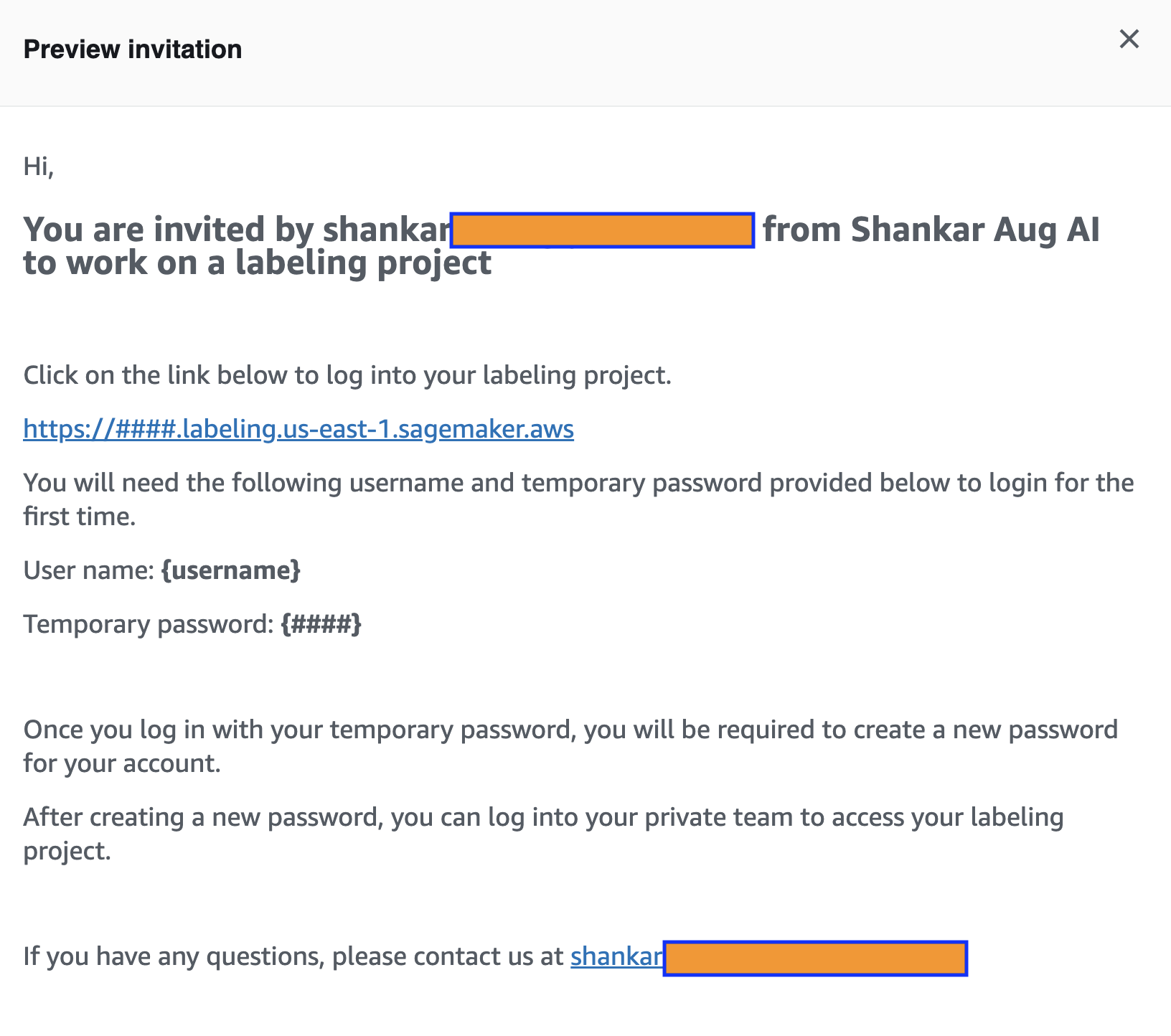
A sample invitation email that a human reviewer receives: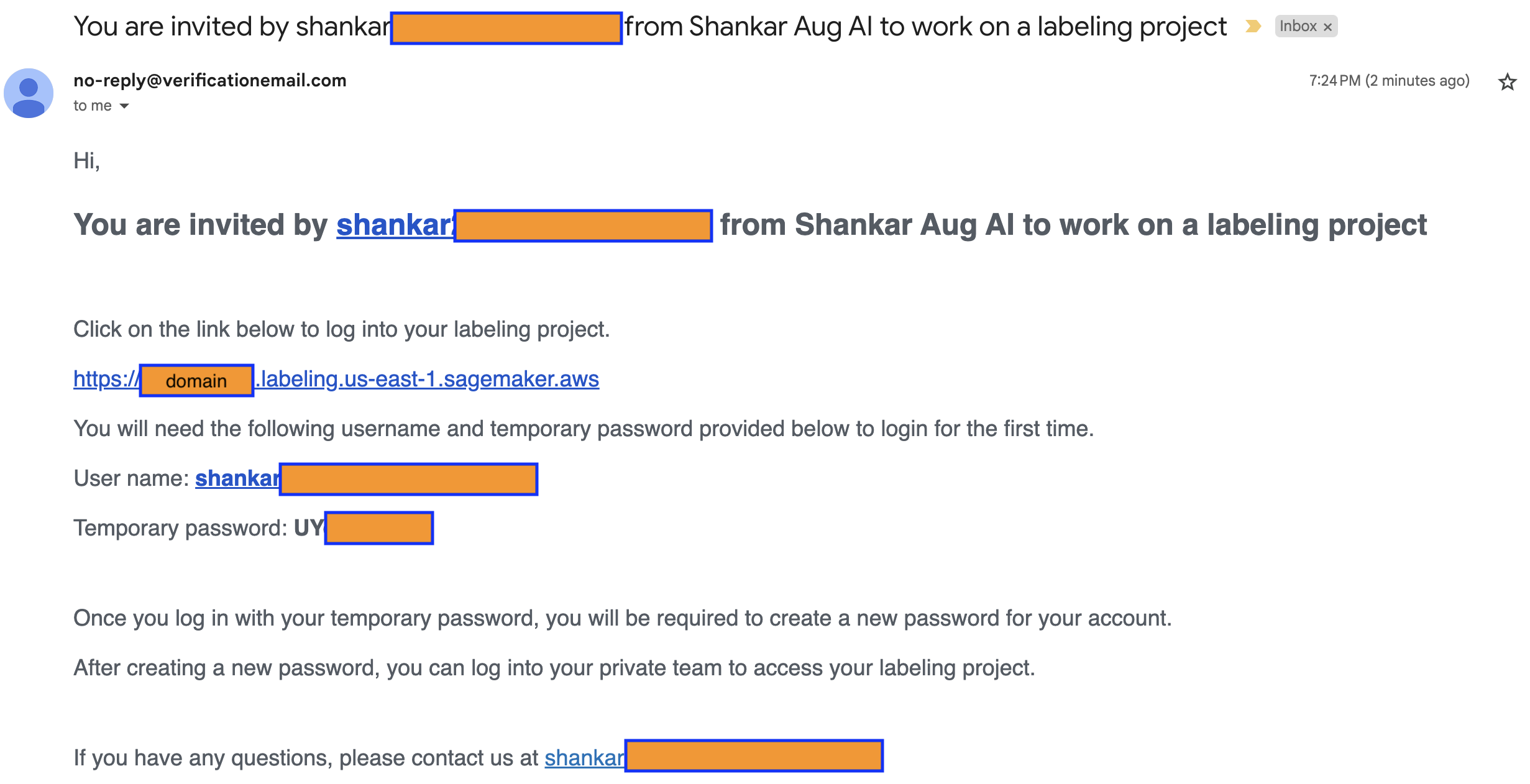
On clicking the link to the labeling project, the human reviewer will be presented a login view: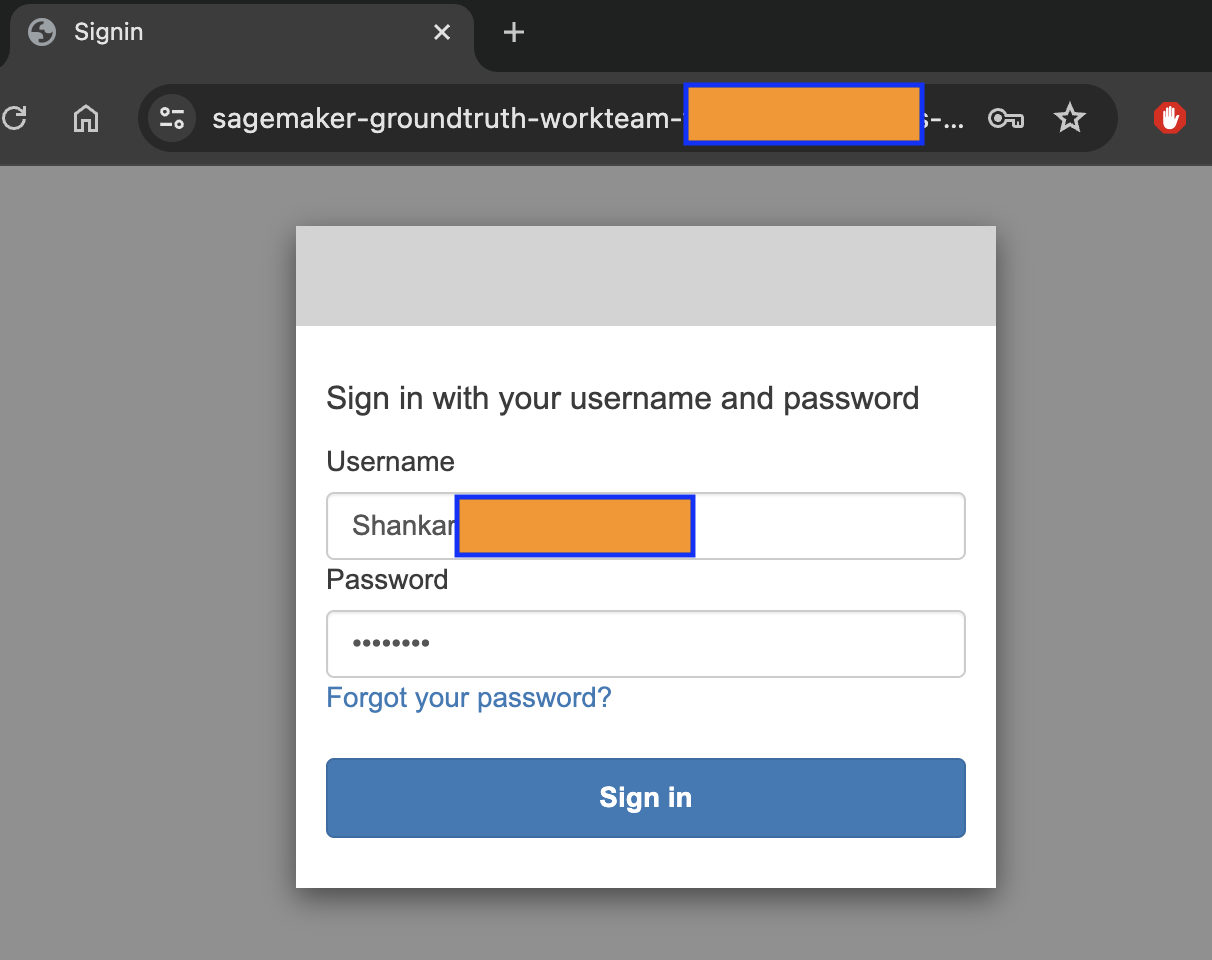
Change password view on the first login attempt by the reviewer: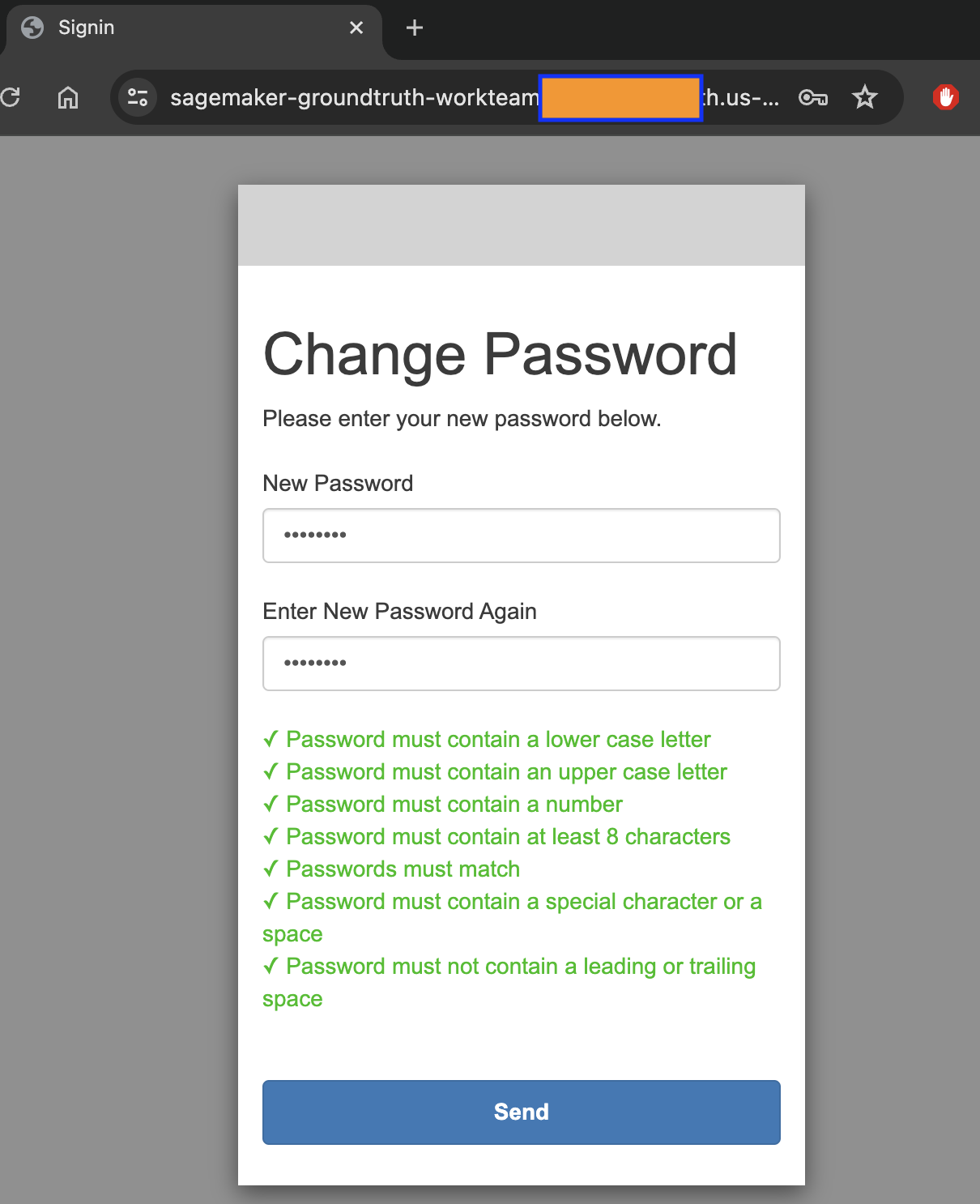
Initial reviewer view with no tasks assigned:
Human reviewer view with a task: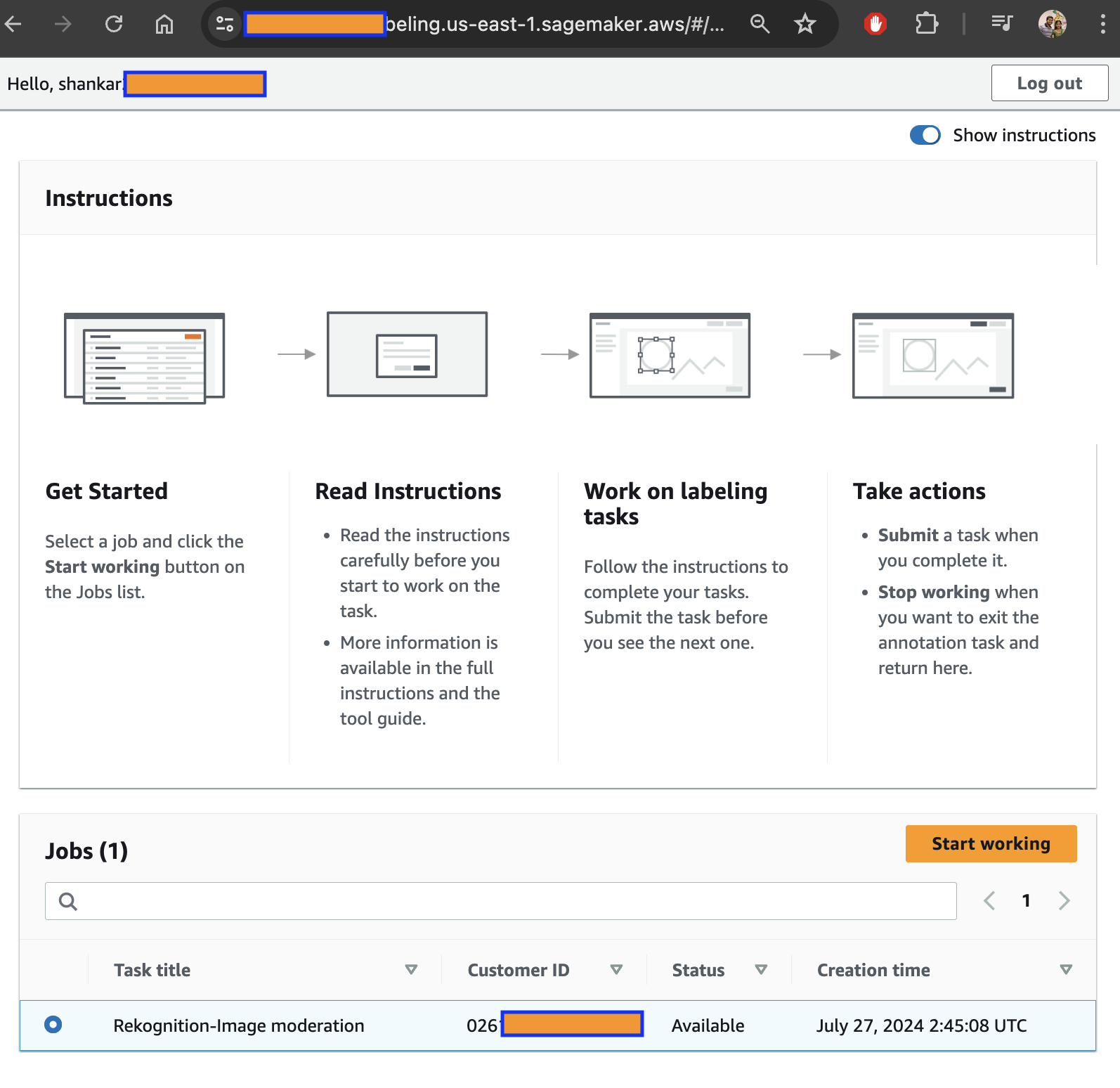
Sample of the labeling work that a human reviewer would be doing: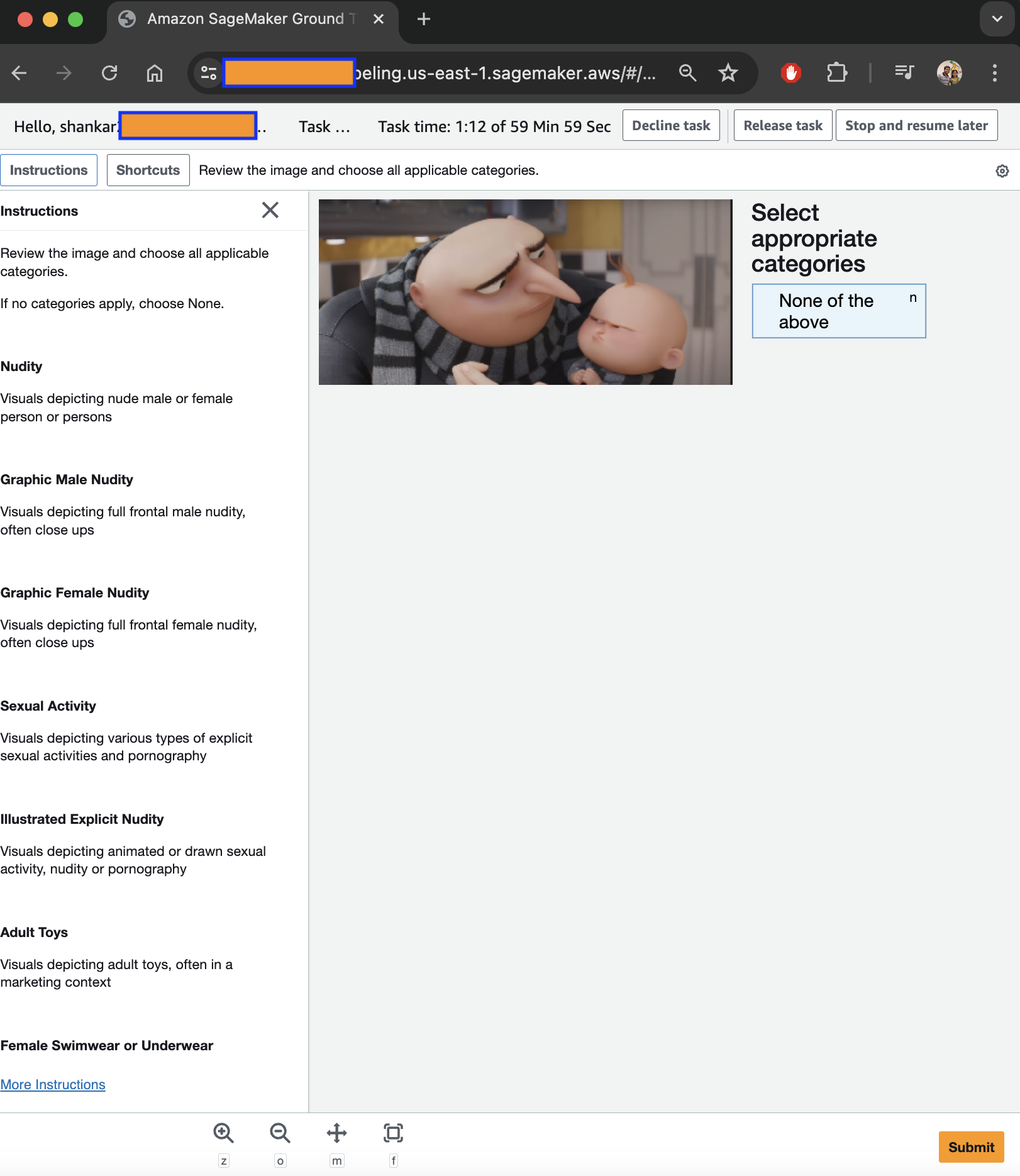
Lambda function code for Rekognition and human review workflow:
import boto3
import uuid # To generate a random string

def lambda_handler(event, context):
    s3 = boto3.client('s3')
    bucket_name = "bucket_name"
    image_name = "name of the image"

    # Get bucket location (optional if you know it's in us-east-1)
    bucket_location = s3.get_bucket_location(Bucket=bucket_name)['LocationConstraint']

    # Create Rekognition client in the same region as the bucket
    rekognition = boto3.client("rekognition", region_name=bucket_location)

    # Generate a unique HumanLoopName
    human_loop_name = f"sampleimage-{uuid.uuid4()}"

    response = rekognition.detect_moderation_labels(
        Image={'S3Object': {'Bucket': bucket_name, 'Name': image_name}},
        HumanLoopConfig={
            'HumanLoopName': human_loop_name,
            'FlowDefinitionArn': 'arn:aws:sagemaker:us-east-1:<YOUR_ACCOUNT_ID>:flow-definition/<YOUR_REKOGNITION_FLOW_DEFINITION_NAME>'
        }
    )

    print(response)   # Log the Rekognition response for debugging
    return response  # Return the response in case you want to use it further
Successful Lambda output (static human loop name, first run):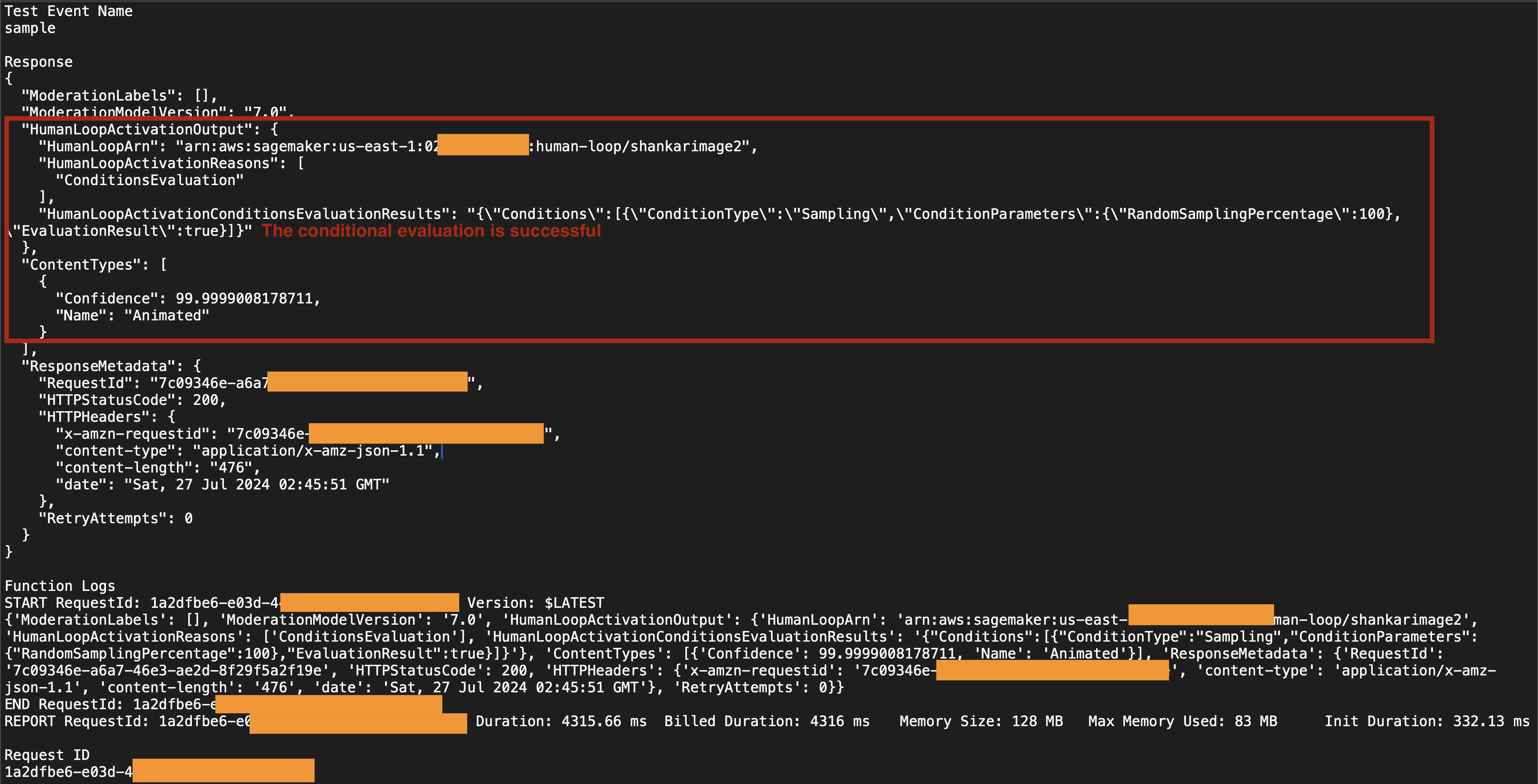
Failed Lambda output (static human loop name, second run):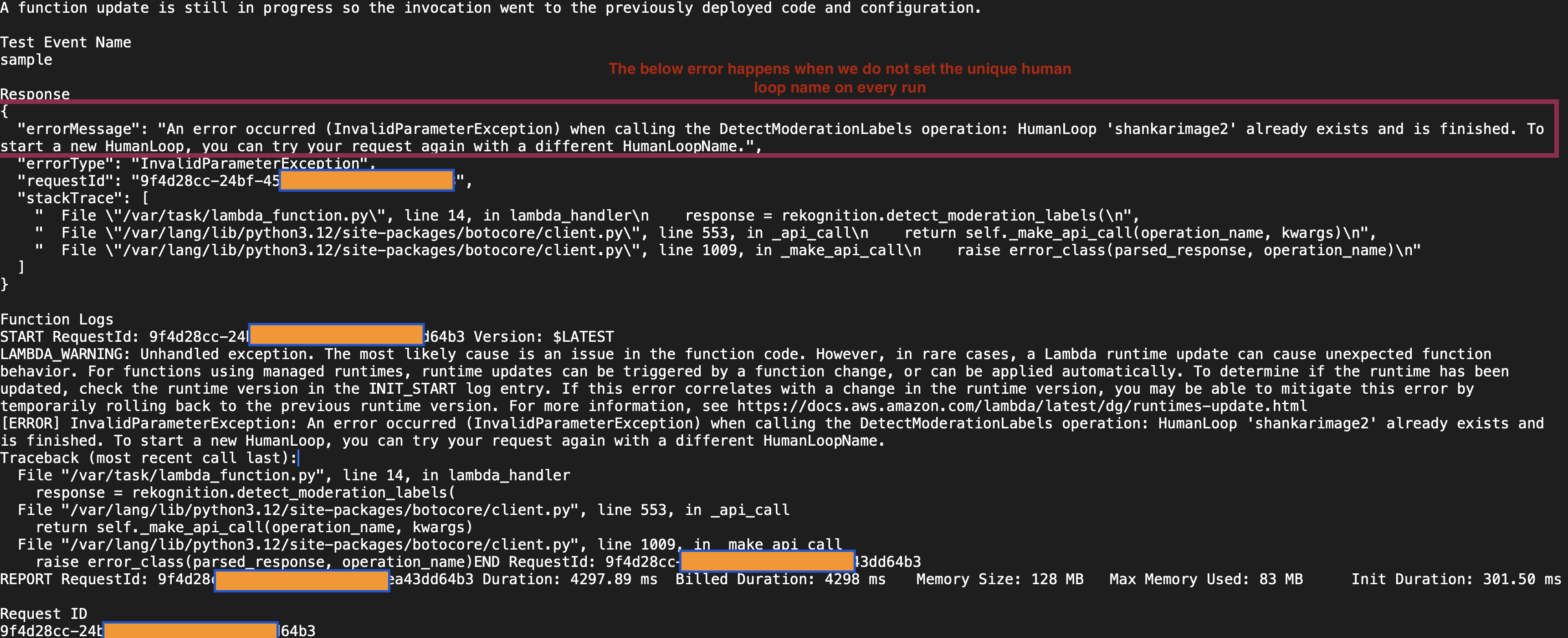
Successful Lambda output (unique human loop name, successive run):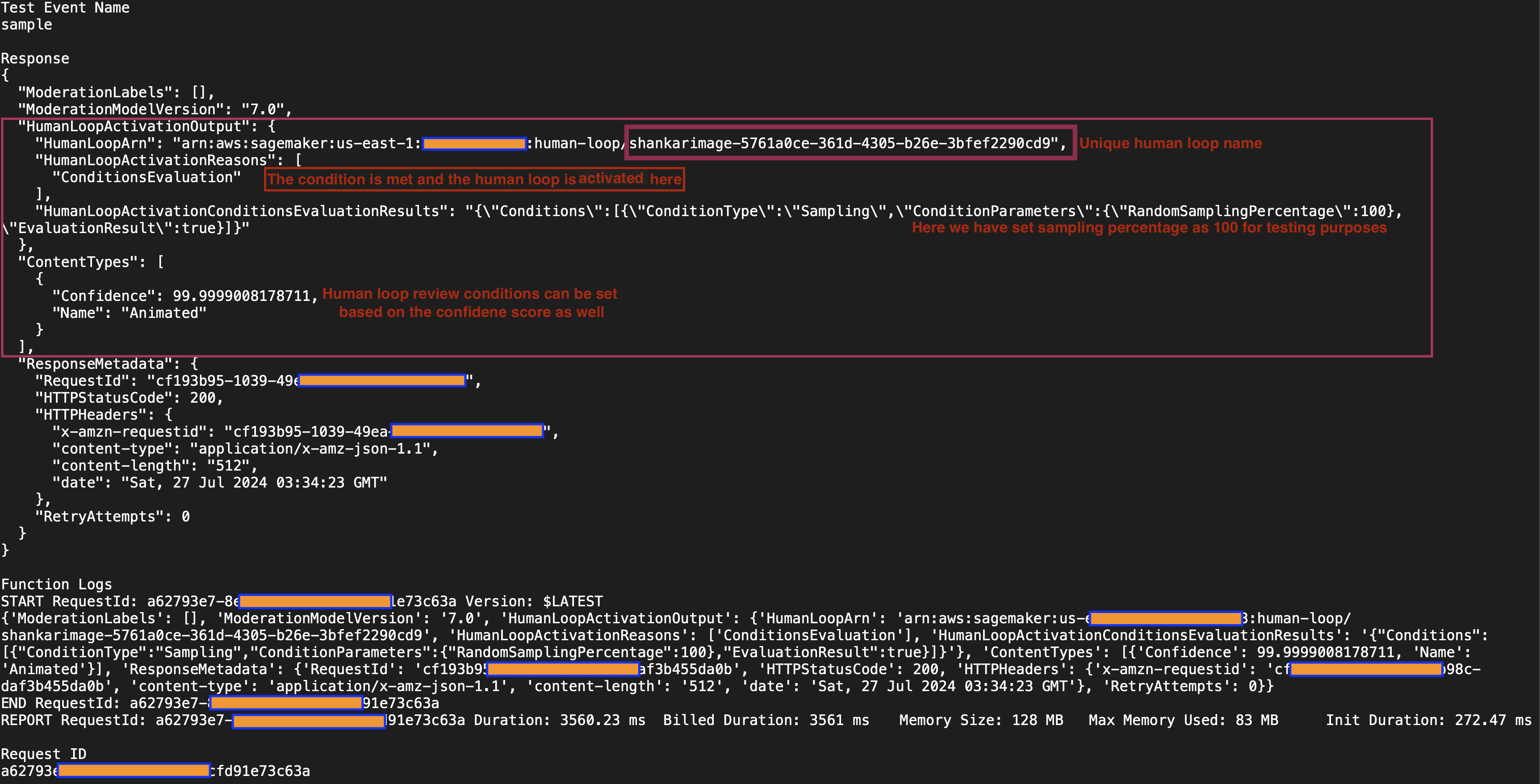
Human reviewer task submission JSON example:
Share your learnings on Augmented Artificial Intelligence, including how you use it and the types of use cases you’ve implemented in your applications.
Happy learning!
 Shankar's Blog